In Brief
A good Google Ads campaign does not start in the account, but with the question of what people are searching for. Search volume, ad and landing page have to fit together, otherwise every click burns budget. AI helps with structure, keywords and ad copy, but it only delivers suggestions: check keywords in the Keyword Planner and read the copy yourself. And once the campaign is live: tinker with the account too little rather than too much.
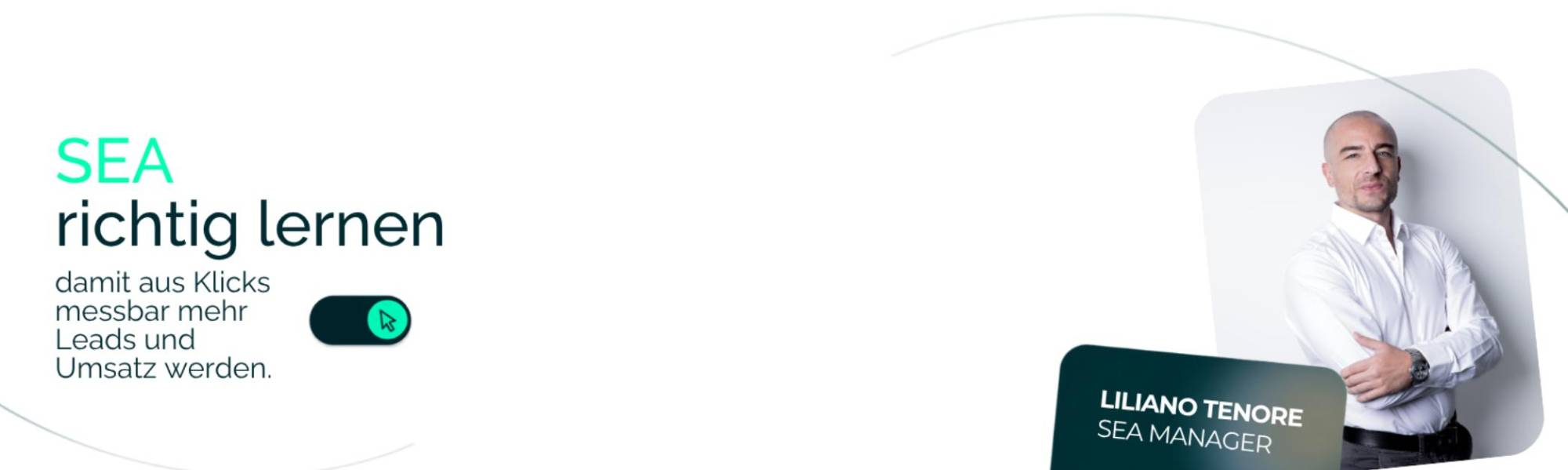
If you want to create a Google Ads campaign, start with the question of what people are actually searching for. The account comes later. That is exactly the order our SEA webinar on October 2, 2026 followed. Liliano Tenore, Senior Digital Marketing Manager at ONELINE, spent 90 minutes covering theory, the use of AI and a live example in a Google Ads account. You can watch the recording right here, with the key points to read below.
Creating a Google Ads Campaign Means Connecting Search Volume, Ad and Landing Page
At the center of the webinar was a slide that breaks SEA down into three parts:
- Search volume and the auction: It shows whether there is demand and what it costs.
- Ad: It decides whether someone clicks.
- Landing page: It decides whether the visit turns into an inquiry.
An example from the webinar makes this tangible: a perfect ad with a poor landing page burns budget. With Google Ads, every click costs money directly, unlike the organic side we handle with SEO. That is why the common thread from search to ad to landing page has to hold.
What Makes the Account Structure Manageable Later On
A Google Ads account has four levels, and each has its own settings:
- Account: currency, time zone, payment method and conversion tracking. Setting up the Google account is the foundation for this.
- Campaign: budget, bid strategy, location and language.
- Ad group: keywords, grouped by topic.
- Ad: what appears in search, meaning headlines and descriptions.
This has practical consequences. If you want to push a new product, you need a separate campaign for it, because budget and location cannot be split below the campaign level. At the ad group level, separation practically only works through keywords. On Meta, audiences can be segmented much more finely; on Google Ads, they cannot.
Which Campaign Type and Bid Strategy Fit
The Campaign Types at a Glance
- Search: the foundation, because users are actively searching and purchase intent is highest.
- Performance Max: covers Search, Display, YouTube, Discover, Gmail, Maps and Shopping automatically. According to the webinar, Performance Max becomes a black box without a clean data foundation and a solid understanding of Search.
- Shopping: suited to e-commerce.
- Demand Gen and Video: for demand and awareness.
The Display Network Is Moving to Demand Gen
Things are changing with the Display Network. Google is moving it into Demand Gen. According to the Google Ads Help, a migration tool has been rolling out in stages since June 2026, and new Display campaigns will later only be possible in Demand Gen. Google does not give an exact date there.
Three Groups of Bid Strategies
- Manual CPC: You set the bid per keyword yourself.
- Automated for traffic: Maximize clicks and target impression share, for example for visibility on brand terms.
- Automated for conversions: Maximize conversions, target CPA, maximize conversion value and target ROAS.
Smart Bidding needs data for this. Without conversion tracking, a target CPA makes no sense, and as a guideline Liliano named around 30 conversions in 30 days. That is his experience and not a Google requirement. For the start, he recommended maximizing clicks with a CPC limit and switching later.
Keywords and Match Types: Phrase as the Default
The Three Match Types
The recommendation from the webinar is phrase match as the default. In addition, these rules apply:
- Phrase match: the default for most keywords.
- Exact match: only for clear-cut terms close to conversion.
- Broad match: only with Smart Bidding and good data.
Google recommends the same, because according to the Google Ads Help, broad match keywords should be used together with Smart Bidding.
Negative Keywords Against Wasted Spend
Negative keywords exclude search queries that cost money and never convert, depending on the offer for example “free”, “jobs”, “used” or “DIY”. Liliano advised checking the search terms report every week, because it is the fastest lever against wasted spend.
Ad Copy That Matches the Search
According to the Google Ads Help, a responsive search ad consists of up to 15 headlines of 30 characters each and up to 4 descriptions of 90 characters each, plus assets such as sitelinks or calls. Because Google combines the elements freely, headlines must not contradict each other.
Three rules from the webinar help when writing text ads:
- At least three headlines contain the main keyword, and no more than five of fifteen should carry the same keyword.
- You write concretely instead of using adjectives like “professional” and say what the customer gets out of it.
- At least two descriptions contain a call to action.
Use pinning sparingly, because it limits optimization.
How to Use AI in the Process
A Good Prompt Has Four Building Blocks
- Role: who is answering, for example an experienced Google Ads keyword strategist.
- Context: product, target group, market, language, URL and price segment.
- Task: exactly one goal per prompt.
- Format: table, number of items and character limits.
The sentence that went with it stood in large letters on the slide: “Bad input, bad output.”
From Prompt to Skill
A prompt is a single instruction that turns out slightly differently every time. A skill is a saved workflow with fixed rules and a fixed output, which keeps the quality more consistent. This idea gave rise to the AI Prompt Pack, with four prompts: campaign structure, keyword research, RSA ad copy and account audit.
The Live Example in the Webinar
The live example was about a self-defense school in the canton of Zug. For this case, Claude recommended two Search campaigns, one in German and one in English, and no Performance Max campaign. Claude then suggested keywords with match types, which we checked against actual search volumes in the Google Keyword Planner. Finally, 15 headlines and several descriptions were created. The most important takeaway: the model delivers suggestions, not the truth. Always check keywords in the Keyword Planner, and always read the ad copy yourself.
The Optimization Routine: Order Beats Speed
The webinar divides the first weeks into four phases:
- Days 1 to 3: Fix errors. Check tracking, correct disapproved ads, exclude obviously irrelevant search terms and check whether the budget is capping delivery.
- Weeks 1 and 2: Collect data, review search terms and add negatives. Leave bids and the bid strategy alone, otherwise the learning phase starts over.
- Weeks 3 to 4: First optimization. Sharpen ad copy, pause weak keywords, clean up the structure.
- From week 5: Adjust targeting and switch to Smart Bidding as soon as there are enough conversions.
After that, the routine takes over: weekly with search terms and negatives, monthly with structure, ads and budget allocation. One statement from the webinar sticks: for most accounts, over-optimization is a bigger problem than under-optimization. If you tinker with the account every day, you give the algorithm no chance to learn.
Outlook: Where Google Ads Is Heading
Dynamic Search Ads Are Moving to AI Max
Google keeps rebuilding its search around AI. According to the Google Ads blog, Dynamic Search Ads are moving into AI Max, with the automatic switch starting in February 2027 after an extended deadline. Campaigns with automatically created assets or campaign-level broad match are set to be upgraded as early as September 2026. If you run campaigns like these, check your account now.
More Changes in Language, AI and ChatGPT Ads
- Language: According to the Google Ads Help, the campaign-level language setting for Search campaigns will be removed starting in September 2026. Google will then rely on the language of the ad and the landing page.
- Ask Advisor: Google is testing an AI assistant that connects Google Ads, Analytics and Merchant Center. According to the Google blog, it is available in beta for English-language accounts.
- ChatGPT Ads: OpenAI is expanding ChatGPT Ads to 31 European markets.
The Future of Ads Management
The webinar showed three stages. In the past, everything was done by hand. Today, AI delivers drafts and analyses, and tomorrow the model will access the account and data directly via the Model Context Protocol (MCP). Approvals and decisions remain with people. AI suggests, people decide.
What You Can Take Away From the Webinar
Participants received three things:
- the AI Prompt Pack with the four ready-to-use prompts
- an optimization checklist with 27 checkpoints from day 1 to the ongoing routine
- the offer of a potential analysis, in which we look at your Google Ads account and tell you where budget is being lost
Would you like the materials or an assessment of your account? Get in touch with us. As a Google Ads agency, we show you where you can start and explain the next steps.

Written By
Bettina Abelman
Junior Online Marketing Manager at ONELINE in Zug, focused on digital marketing, SEO, and lead generation. Learn more about Bettina →