In Brief
Vibe coding tools combine large language models with development environments and automatically turn requirements written in natural language into code. Lovable and v0 are suited for fast prototypes, Replit for development in the browser, Cursor for controlled work on existing code, and Claude Code for extensive changes across multiple files. Prices range from free entry-level plans to around 100 US dollars per month for professional use.
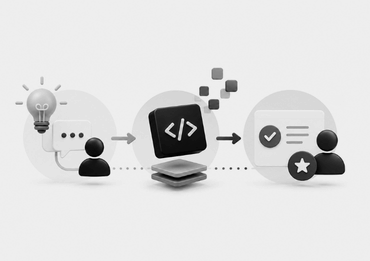
Vibe coding tools are changing the way software gets built today. Instead of writing code line by line, requirements are formulated in natural language and then implemented technically by artificial intelligence. At the center of this shift are so-called vibe coding tools, which connect large language models (LLMs) with development environments and specific automation features.
The market has grown large, and the differences between the various offerings are significant. Lovable or v0, for example, can turn a description directly into a web application. Cursor stays closer to classic work with program code. Claude Code, in turn, takes on extensive tasks within an existing codebase. Which one fits best therefore depends less on a general ranking than on the desired workflow.
What Are Vibe Coding Tools?
Vibe coding tools translate naturally formulated requirements into program code and then support its further development. Depending on the platform, this ranges from an automatically generated user interface to the independent editing of multiple files within a software project. One key distinguishing factor is the degree of abstraction.
With an app builder, an idea can be described without needing to edit the generated code directly. AI code editors are aimed more at developers who want to control the program code themselves. Terminal agents work differently again. They operate directly within a project and can read, change, or execute files and commands there.
Not every one of these tools automatically leads to vibe coding in its original sense. Cursor or Claude Code can equally be used for controlled AI-assisted development, where every change is reviewed by an expert.
What Types of Vibe Coding Tools Are There?
Only a few solutions truly qualify as pure vibe coding tools. In practice, most are AI-assisted development tools that make vibe coding possible. Depending on the feature set, the approach can stay very close to the original idea, or it can be combined with classic development work, code review, and other technical processes. A breakdown by tool type makes the differences easier to grasp:
| Category | Examples | Typical Use |
|---|---|---|
| Prompt-to-App Builder | Lovable, v0, Bolt.new | Fast prototypes and web applications |
| Cloud Development Platform | Replit | Development, execution, and publishing in the browser |
| AI Code Editor | Cursor, Windsurf, GitHub Copilot | Existing codebases and classic development workflows |
| Agentic Coding Tool | Claude Code, Aider, OpenCode | Extensive changes and work across multiple files |
These categories don’t form a ranking. A prompt-to-app builder isn’t automatically simpler or worse than a terminal tool. It simply solves a different task.
At the same time, several of these solutions can be used both for pure vibe coding and for controlled AI-assisted development. What matters, then, is less the label of the tool than how it’s actually used within a given project.
Four Vibe Coding Tools Compared Directly
The following four offerings serve as examples of different ways of working. Alongside features and pricing, their limits are therefore just as relevant, some of which apply to the entire category.
Lovable: From Prompt Directly to Web App
Lovable is strongly geared toward the fastest path from an idea to a working application. Requirements are described in a chat. The system handles the technical implementation from there. According to the provider, no programming knowledge is required for this.
Lovable is particularly interesting for early product ideas or smaller internal applications, where a usable result should emerge quickly. Changes can likewise be requested in natural language. The free plan provides limited daily credits. The Pro plan currently starts at 25 US dollars per month.
Actual usage depends on the credit system, with more complex tasks consuming more credits. A typical limitation of this class of tool shows up with individual or more complex projects. The further an application moves away from the intended workflows, the more important technical understanding becomes. Comparable prompt-to-app builders such as v0 face a similar challenge.
Replit: Development and Operation in One Platform
Replit offers AI-assisted development in a browser-based development environment. Applications can initially be built and modified largely through natural language. At the same time, the generated code stays directly accessible and can be edited, tested, and further developed manually.
This makes Replit suitable both for a vibe-coding-driven start and for a subsequent, more controlled phase of development work. The Starter plan is also free here. Replit Core is currently listed at 18 US dollars per month on annual billing and includes monthly usage credits.
For professional projects, Replit Pro offers higher credits and additional capabilities. On annual billing, the plan currently costs 90 US dollars per month. The downside of the bundled environment is a stronger platform dependency. Usage-based costs can also arise once the included credits are used up. This principle applies to other cloud-based development platforms as well.
Cursor: AI in a Classic Code Editor
Cursor’s editor stays close to an ordinary development workflow but extends it with AI agents. These can understand code, make changes across multiple files, and access different models. This makes the system aimed more at people with programming experience.
The major advantage lies in the control it offers. Existing code stays visible and can be reviewed or changed directly. The solution is therefore less suited as a fully abstracted app builder, and better suited for existing software projects. For getting started, there’s a free Hobby plan with limited agent requests.
The Pro plan currently costs 20 US dollars a month, or 16 US dollars a month on annual billing. Team plans start at 40 US dollars per user per month, or 32 US dollars on annual billing. It’s precisely that greater control that also marks the natural limit of this category. Without knowledge of code, project structures, and software logic, many of Cursor’s advantages remain only partly accessible.
Claude Code: Agentic Development Across the Entire Codebase
Claude Code works more like an independently acting development agent, though it can also do vibe coding. The tool is able to read a codebase, change files, and run commands. It works independently across multiple files and development tools.
This makes Claude particularly well suited for more extensive tasks. These can include bug fixes, new features, or changes that touch multiple parts of a project. Claude Code is available through paid subscriptions. The Pro plan currently costs 20 US dollars a month, or 200 US dollars billed annually. For higher usage limits, there are Max plans starting at 100 US dollars a month.
The strength of agentic tools demands control, however. The more files an agent changes independently, the more important expert review becomes. Claude is therefore aimed more at experienced users than at people building an application for the first time. Would you like to work out which form of vibe coding makes sense for a digital project, and which type of tool fits it? Get in touch, and we will help you structure the requirements, technical constraints, and suitable approaches for your project.

Written By
Bettina Abelman
Junior Online Marketing Manager at ONELINE in Zug, focused on digital marketing, SEO, and lead generation. Learn more about Bettina →